
Browse off-plan projects in Brixit CRM
Open Property → Off-Plan to browse the off-plan project catalogue in Brixit. This area requires off-plan catalogue access to be enabled for your company. It is separate from the brokerage’s own Listings records.
Find a project
- Enter a project name in Search projects.
- Use Filters to narrow location, developer, unit type, status or other available criteria.
- Review the matching cards for developer, location, starting price, home types and construction or sale status.
- Open a project card to inspect the full details.
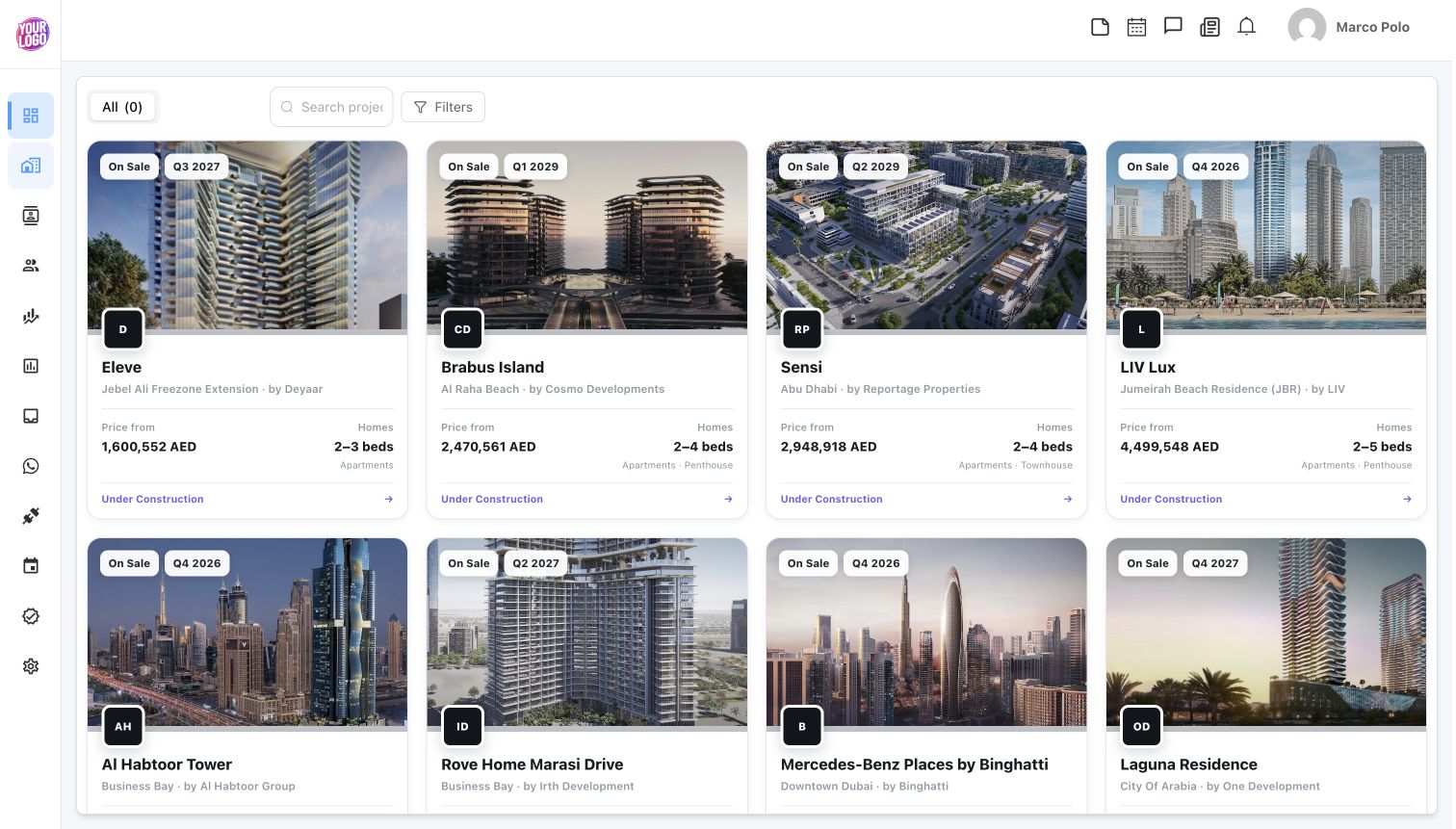
A catalogue example captured on 21 October 2026. Prices, dates and availability can change.
Review the project
| Section | What to inspect |
|---|---|
| Description | Project information and location context |
| Units & Availability | Available unit details, prices and layouts when your integration access includes live units |
| Gallery | Project, interior, exterior and other supplied image categories |
| Details | Developer, unit types, construction status, handover and other supplied project facts |
| Payment plan | Select the relevant plan and review each stage rather than only the headline split |
| Features / Amenities | Facilities supplied with the project |
| Location / General Plan | Project location and the supplied master/general plan |
| Documents and links | Open or download available brochures and floor plans |
Use Load More Units when available to inspect additional units. A Live units are unavailable message can mean your company’s catalogue access does not include live inventory; it does not prove that the project has sold out. Some sections are absent when the provider has not supplied that information.
Use the information with a client
Compare the project with the client’s inquiry. Open the relevant brochure or floor plan from Documents and links, and confirm current pricing, availability and payment terms with the responsible sales source before presenting them as a current offer.
Browsing an off-plan project does not create a brokerage listing, reserve a unit or record a transaction. Use the appropriate Listing or Transaction workflow when your business process requires one.
If the catalogue is unavailable, check the integration and company eligibility. If a search returns nothing, clear filters and try a broader project or location search.